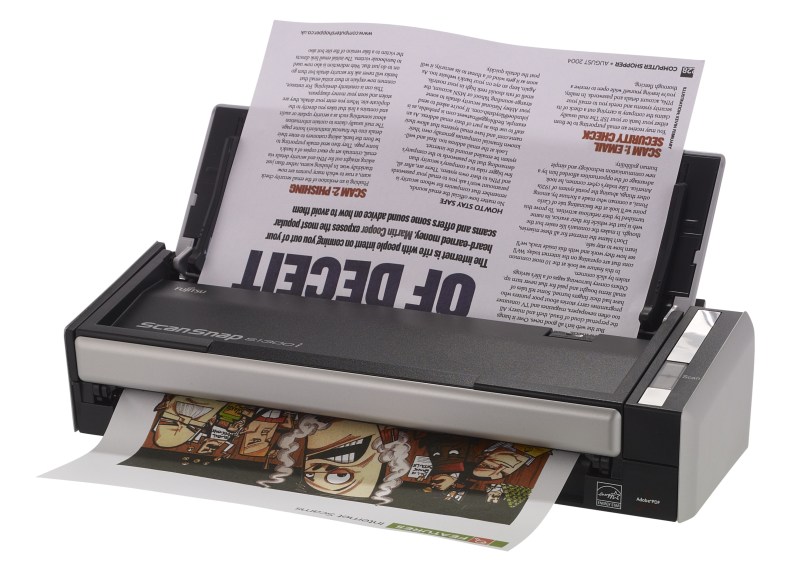
Getting Fujitsu ScanSnap S1300i to work on Ubuntu 16.04LTS
Upgrade or install SANE backends
Since the version of SANE in the Ubuntu 16.04LTS repos is not working for this scanner you either need to install from sources (see this blog) or from this PPA.
sudo add-apt-repository ppa:rolfbensch/sane-git
sudo apt update
sudo apt install sane-backends tesseract-ocr gscan2pdfSecurity
Add yourself to the ‘scanner’ group to be able to use the scanner.
sudo usermod -a -G scanner USERNAMEChecking SANE
Check for the libsane version (needs to be at least libsane.so.1.0.26 not libsane.so.1.0.25 which is in the Ubuntu repos)
sudo ldconfig -v | grep libsaneThis should show something like: libsane.so.1 -> libsane.so.1.0.26
Add udev rules for the scanner
sudo vim /etc/udev/rules.d/79-scanner.rulesAdd the following:
# Fujitsu ScanSnap S1300i
ATTRS{idVendor}=="04c5", ATTRS{idProduct}=="128d", MODE="0664", GROUP="scanner", ENV{libsane_matched}="yes"Get the firmware for the FUJITSU ScanSnap S1300i
sudo mkdir /usr/share/sane/epjitsu
cd /usr/share/sane/epjitsu
sudo wget https://github.com/ckunte/scansnap-firmware/raw/master/1300i_0D12.nalTesting
scanimage -Ldevice `epjitsu:libusb:002:027′ is a FUJITSU ScanSnap S1300i scanner
device `epjitsu:libusb:002:027′ is a FUJITSU ScanSnap S1300i scanner
You can now use gscan2pdf to scan, clean and OCR from the ScanSnap S1300i.
Comments
Be the first to comment! Reply to this post from your Mastodon/Fediverse or Bluesky account, or mention this post's URL in your reply. Your comment will appear here automatically via webmention.
Follow this blog on Mastodon at @gaggl.com@web.brid.gy or on Bluesky at @gaggl.com