Install FirefoxOS on Nexus S (GT-9023)
I just had one of my old hand-me-down phones returned by my offspring in a great condition (junior is very careful with his equipment – well done young man !). This doesn’t happen all too often shows that the Nexus S is a decently built phone. This is also a good example of breaking the built-in obsolescence of modern phones. This particular unit has served me well for nearly 2 years (my average is one year) and served 2 kids after that.
Enabling the watchdog timer on the Raspberry Pi
Turns out that the Broadcom BCM2708 chip on the RPi has a hardware watchdog. This can be very useful if your RPi is located remotely and locks up. However, this would not the preferred method of restarting the unit and in extreme cases this can result in file-system damage that could prevent the RPi from booting. If this occurs regularly you better find the root cause of the problem rather than fight the symptoms.
Dropping the wires on the Raspberry PI
Testing the RPi for some remote sensing application I needed to use a wireless connection as it would have been a pain to reach with an Ethernet cable.
Parts
- Raspberry Pi Series B 512MB
- Raspbian 3.6.11+ Kernel
- Comfast 802.11n – Realtek RTL8188CUS WLAN Adapter
Install WPA Supplicant
sudo apt-get install wpasupplicant
See http://en.wikipedia.org/wiki/Wpa_supplicant
Check for the USB adapter
sudo lsusb
This should show output similar to this (depending on your USB adapter)
Webserver and database combination on Raspberry Pi
My normal combination on the big-server side would be Apache + MySQL (or PostgreSQL), but on the RPi this seems to be absolute overkill. For data-logging operations I would not use the local system anyway (looking at MQTT as well as Remote MongoDB datastore via REST Webservices).
After some poking around and reading up on the options I decided to go for the following combo: LightHTTPD + SQLite. Both are lightweight replacement of their fully-featured big-server counterparts (Apache HTTP & MySQL) and have very familiar configurations. There would be other options that have even less resource usage, but I really don’t have the time to start from scratch somewhere.
Accessing 1-wire devices on Raspberry Pi using OWFS
To connect 1-wire serial devices to the RPi I am using a DS9490R USB 1-wire adapter (rather than wiring I2C 1-Wire master components to GPIO I2C – which I might look at sometime down the track)
Install packages
sudo apt-get install owfs ow-shell
Edit config file
vim /etc/owfs.conf
! server: server = localhost:4304
# USB device: DS9490
server: usb = all
######################### OWFS ##########################
mountpoint = /mnt/1wire
allow_other
####################### OWHTTPD #########################
http: port = 2121
####################### OWFTPD ##########################
ftp: port = 2120
####################### OWSERVER ########################
server: port = localhost:4304
Create Startup Script
I created a startup script for owfs modelled on the owserver script (not sure why this one is actually missing)
Raspberry Pi - Text to Speech
Just a quick note on Speech Synthesis a Raspberry Pi project. I had to research some of the options on the Raspberry Pi while looking into a project where I need some audio announcements.
Configuring Sound
echo 'snd-bcm2835' >> /etc/modules
sudo modprobe snd-bcm2835
sudo apt-get install mplayer alsa-base alsa-utils pulseaudio mpg123
# make mplayer use mpg123 codec instead of default ffmp3float
echo "afm=mp3lib" >> ~/.mplayer/config
Since I am using Raspbian which is a Debian based (Wheezy) Distribution I used some Ubuntu documentation (https://help.ubuntu.com/community/TextToSpeech) as the starting point.
Enable GeoIP lookups on CentOS
GeoIP enables you to identify the location, organization, connection speed, and user type of your website visitors.
yum install GeoIP mod_geoip
cd /usr/share/GeoIP/
wget http://geolite.maxmind.com/download/geoip/database/GeoLiteCountry/GeoIP.dat.gz
wget http://geolite.maxmind.com/download/geoip/database/GeoLiteCity.dat.gz
gunzip GeoIP.dat.gz
gunzip GeoLiteCity.dat.gz
rm -f *.gz
Edit the VirtualHost settings in httpd.conf
<ifmodule mod_geoip.c>
GeoIPEnable On
GeoIPDBFile /usr/share/GeoIP/GeoIP.dat Standard
GeoIPDBFile /usr/share/GeoLiteCity.dat Standard
</ifmodule>
Restart Apache
/etc/init.d/httpd restart
Accessing Amazon RDS from Desktop
Every once in a while it is handy to be able to access an Amazon RDS Database Instance remotely from a desktop.
ssh -i <strong>YOUR-AMAZON-PRIVATE-KEY</strong>.pem -l <strong>YOUR-AMAZON-RDS-USERNAME</strong> -L 33060:<strong>YOUR-AMAZON-RDS-PRIVATE-IPADDRESS</strong>:3306 -N ec2-usr@<strong>YOUR-AMAZON-EC2-INSTANCE-PUBLIC-ADDRESS</strong>
Note: YOURAMAZONRDSPRIVATEIPADDRESS needs to be the AWS internal RDS IP Address – not the external hostname
You can then connect to RDS using mysql commands or any GUI tool such as MySQL Workbench via localhost:33060
Thanks to: Dirk Taggesell via AWS Forums
Installing the latest stable version of LibreCAD on Ubuntu
I have recently been looking at different CAD options on Ubuntu and LibreCAD (http://librecad.org/) is looking like the best option for my needs at current (apart from the wish there would be some DWG support).
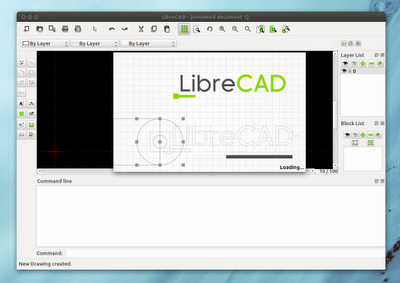
Since the main Ubuntu repositories are usually a fair bit behind the lastest stable realeases of LibreCAD you need to add the LibreCAD Dev PPA Repository
sudo add-apt-repository ppa:librecad-dev/librecad-stable
sudo apt-get update
sudo apt-get install librecad
Mobile Browser Testing on the Desktop
If you need to check websites for mobile compliance on a regular basis you know that having a device to constantly check is painful and slows down your work during debugging and phases of constant change.

Creative Commons Attribution 2.0 Generic License (http://creativecommons.org/licenses/by/2.0/) by adactio
There are a few tools that will make this work a lot easier:
BESPIN - another nice one from Mozilla.org
Getting excited about a new text editor of all things is not something I like to admit to easily, but in my line of work (although less and less is actually doing hands on coding) text editing is an important part.
That’s why I checked out the BESPIN project as soon as I heard of it. The prospect of being able to edit your files from anywhere is very appealing to me since I spend a lot of time away from the desk and on devices that not always have good text editor (let alone all the files necessary). The thought of being able to edit files from a netbook while on the run is coming to mind straight away.
Mobile 2D codes gathering pace (outside of Asia)
FINALLY !!! As somebody that has been experimenting with this technology for over 2 years now I am quite exited to see that the adoption of this technology is gathering some steem. While it has bee widely adopted in Asia for some years now, it has taken some time to get a foothold in the rest of the world this seems to be changing now. At least in Europe as I can see for myself at the moment. In my opinion with Nokia finally getting serious and throwing its (considerable) weight behind this technology (http://mobilecodes.nokia.com/) and some other industry heavyweights joining forces in the Mobile Codes Consortium.� This will hopefully produce one key outcome, the stadardisation of the label technology, which up to now has been one of the stumbling blocks that has kept people such as myself from adopting these codes in real-world projects. Along with the adoption by some major companies in their advertising this should produce the momentum that was needed to push mobile 2D codes into some broad adoption.