Android SDK issues on Ubuntu 14.04 64bit
Since the upgrade to Ubuntu 14.04 (Trusty Tahr) I have had issues running the Android SDK Tools. For example this error:
./adb
bash: ./adb: No such file or directory
Check the multi-arch architectures installed on the system.
sudo dpkg --print-architecture
Mine only showed ‘amd64’. Turns out you need to add the i386 architecture and install libc6:i386,libncurses5:i386,libstdc++6:i386 library packages.
sudo dpkg --add-architecture i386
sudo apt-get update
sudo apt-get install libc6:i386 libncurses5:i386 libstdc++6:i386
sudo ./adb
LXQt - extending the life of my trusty old EEE PC (even further)
My old Asus EEE PC 900 is the oldest piece of hardware I own. With an old Intel Atom processor and 1GB of RAM it’s never was the fastest kid on the block (in fact I never considered the Windows XP version of the same unit usable as it was very sluggish). However after owning it for nearly 7 years I am very surprised I can still use it. Granted I only use it occasionally when I am at home, but thanks to LXDE it was still usable. I recently learned that LXDE is merging with the Razor-Qt project (great idea!) to create the combined LXQT – an ultra-low resource window manager.
Google Android Studio - Ubuntu repository install
Thanks to Paolo Rotolo there is now a Ubuntu Launchpad PPA for Android Studio
sudo apt-add-repository ppa:paolorotolo/android-studio
sudo apt-get update
sudo apt-get install android-studio
Synology OpenVPN connection from Android
Connecting securely to your home network has always been a bit of a challenge since common home ADSL routers not normally contain any VPN Servers (those which do contain such are generally PPTP servers which I would hardly call secure these days). Which is probably a good thing as they would be horribly out of date considering the firmware release policies of retail router manufacturers. You could run/maintain your own dedicated server, but for most home networks that is overkill and out of the technical depth of most hobbyists. However NAS Appliances are becoming more useful in home networks for storage and other common tasks. I have had good experiences with Synology NAS devices over a number of years and the latest iteration also has a very useful VPN Server package available based on OpenVPN (as most Synology Apps are common Open Source components).
Ubuntu 14.04 - post-install enhancements for Trusty Tahr
Excellent coincidence that the release of Ubuntu 14.04 LTS (Trusty Tahr) fell into the Easter holidays. This gives me the time to install earlier than I normally have time for.

This realease being a LTS (long-term support) release means it is a fairly conservative release. There are some nice enhancements and most importantly for me the 3.13 Kernel means finally Wacom Touch devices are supported without kernel mods.
Fixing UEFI Secure Boot problems on Ubuntu 14.04
Unfortunately the mess that is UEFI Secure Boot still causes issues on some hardware. In my case it’s a Toshiba Z930 Ultrabook. I have documented the procedure to get it working here.
However it turns out that there is no ‘Trusty’ release for the boot-repair utility. The fix is relatively easy.
sudo vim /etc/apt/sources.list.d/yannubuntu-boot-repair-trusty.list
#change the following line from 'trusty' to 'saucy'
sudo vim /etc/apt/sources.list.d/yannubuntu-boot-repair-trusty.list
You can then just finish with
Apache Cordova development environment install on Ubuntu
Apache Cordova has very nice documentation, however as so many projects it is focused on the Windows/MacOS duopolies only. Fortunately it’s not too hard to work out the differences.

Installing dependencies
Thanks to: https://github.com/joyent/node/wiki/Installing-Node.js-via-package-manager
sudo apt-get install python-software-properties python g++ make ant openjdk-7-jre openjdk-7-jdk
Installing Android SDK
Please note: one of the problems I found was that I had some Android tools from the Ubuntu repos that were conflicting with the SDK install. It’s probably a good idea to remove them first. That might save you from a lot of headaches down the line (and time to troubleshoot).
RaspberryPi real-world control with REST API
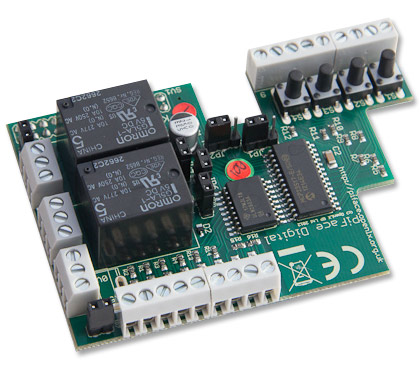
Finally found some time playing with a RaspberryPi and an attached PiFace Interface board to control some garden pumps and potentially an Aquaponics setup in the near future.
Requirements
- Raspberry Pi (Model B in my case, but any will do)
- PiFace Interface board (http://www.piface.org.uk)
Base Raspian (Debian Wheezy) Install (I prefer the clean minimal install via https://githutb.com/hifi/raspbian-ua-netins).
Configure the base system as per my previous base install.
Getting Foscam IP Cameras to work from Linux (Ubuntu)
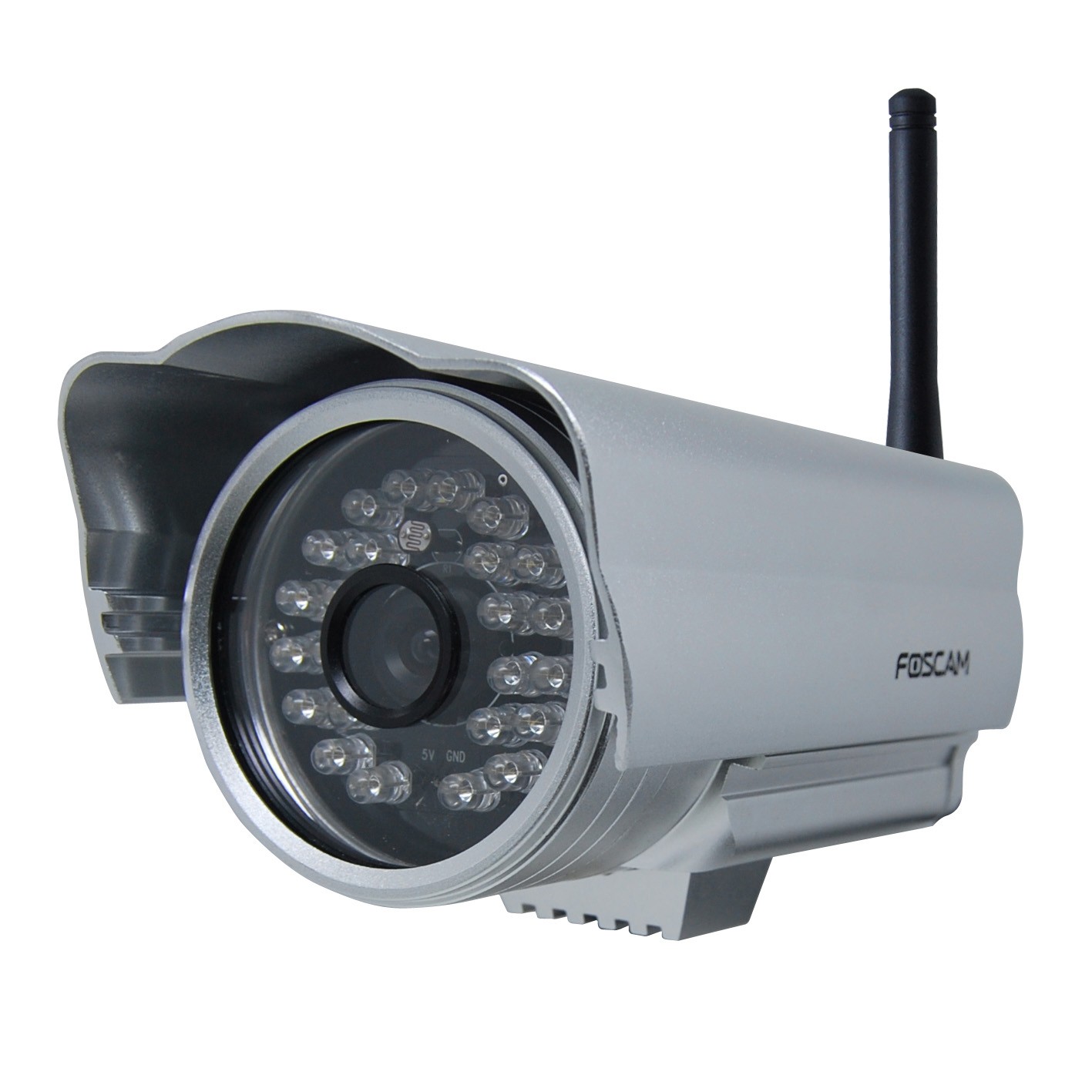
As with most hardware manufacturers of hardware Foscam utility software is Windows or Mac only. The actual unit tested with the below is a FI9805E Outdoor POE camera.
Installation
The installation is relatively painless as the unit is set up to get the IP assignment via DHCP (check your routers DHCP assignment list).
https://IP.ADDRESS.OF.CAM
should get you to the web-admin interface. The default user is ‘admin’ with no (empty) password.
Automatically posting GooglePlus articles to Twitter
I have switched most of my Social Media postings to Google+ over the last year. Despite popular opinion being that Google+ is some ‘ghost town’, I find G+ the most useful environment for my particular needs & interests (specially since the introduction of groups). It has in my experience a vastly better signal-to-noise than other social media in particular Facebook.

However I would still like to feed postings through to my Twitter stream. Unfortunately Google has (stupidly / purposely / nastily) not included RSS support to make this possible without much work. There are a few publicly accessibly services out there, but they generally are either not updated or tend to fail very frequently as they hit the API Access limits as soon as they get a few users on their services.
Ubuntu Touch install on Nexus 4
This is the last of a series of alternative mobile OS installs and the easiest install by a country mile !
Install
Everything is quite well documented here: https://wiki.ubuntu.com/Touch/Install.
sudo add-apt-repository ppa:phablet-team/tools
sudo apt-get update
sudo apt-get install phablet-tools android-tools-adb android-tools-fastboot
phablet-flash ubuntu-system --channel devel --bootstrap
That is it really ! This is how a OS change on a mobile should work !
Issues
Ubuntu touch can not yet handle the radio firmware past Android 4.3 devices. So if your N4 was upgraded to Android 4.4 (KitKat) you need to flash the radio to the Android 4.3 (up to Version 2.0.1700.84) else WIFI will not work.
Making VIM the default text editor on Ubuntu
In my never ending quest to find the ideal text editor here is another installment. Since I have been using VIM as my default command line editor for years I thought I give it a try for basic GUI editing as well.
Install and set desktop app & icon
sudo apt-get install
vim vim-gnome
sudo wget --output-document=/usr/share/applications/gvim.desktop https://raw.github.com/leogaggl/misc-scripts/master/gvim.desktop
sudo wget --output-document=/usr/share/icons/hicolor/scalable/apps/gvim.svg http://gfxmonk.net/images/vim-logo/vim-logo.svg
sudo update-desktop-database
Set MIME defaults
vim ~/.local/share/applications/mimeapps.list
#add or edit the following mime type and add others as needed
text/plain=gvim.desktop;