Intel Ultrabook tweaks on Ubuntu 12.04
After upgrading my Toshiba Z830 Ultrabook to 12.04 (Precise Pangolin) I noticed that the ability to control the screen back-light was not working using the Toshiba Fn F6/F7 keys.
Thanks to http://www.linlap.com/wiki/acer+aspire+s3 the solution was found quite quickly.
sudo vim /etc/default/grub
This will open the grub configuration file. (Grub is the initial boot selection software)
To be able to dim the screen brightness, You’ve got to modify the line:
Installing Java6 JDK on Ubuntu 12.04
UPDATE: [01-May-2012] It appears that this PPA repo is currently broken (does not allow to get GPG key and has unmet dependencies on x84_64). It appears that the install on i386 systems does work anyway if you ignore the GPG key error, but I wouldn’t install in that case as PPA installs are security risk enough without GPG errors.
UPDATE: [11-May-2012] The reason the PPA does not work is that it has been disabled by Ubuntu due to a licensing issue with (not hard to guess) Oracle. Flexion.org have however created a script (hosted on Github) to allow the automated update of Java 6 for those who still require it as a dependency.
Installing the latest stable version of LibreCAD on Ubuntu
I have recently been looking at different CAD options on Ubuntu and LibreCAD (http://librecad.org/) is looking like the best option for my needs at current (apart from the wish there would be some DWG support).
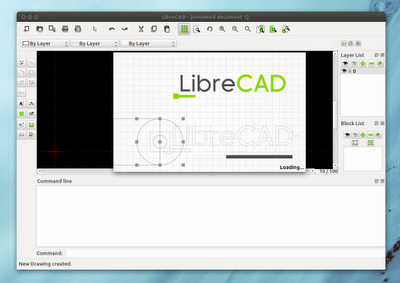
Since the main Ubuntu repositories are usually a fair bit behind the lastest stable realeases of LibreCAD you need to add the LibreCAD Dev PPA Repository
sudo add-apt-repository ppa:librecad-dev/librecad-stable
sudo apt-get update
sudo apt-get install librecad
Bulk converting Office documents to PDF
When you need to convert multiple documents to PDF for distribution (or from one Office format to another) there are a few utilities around. The most workable I found is the UNOCONV utility which is build on top of LibreOffice / OpenOffice. This uses the OpenOffice conversion facilities rather than a simple PDF print driver.
On Ubuntu it can be installed via Software Center or via apt-get from the core repositories.
Installing Samsung Multifunction Printer - Ubuntu 11.10
Getting Multifunction Printers to scan under Linux can be a bit of a pain. The Samsung SCX-3400 I had to install recently was no exception.
Here are the necessary steps I had to perform:
- Ignore all Samsung Provided CD’s and downloads. They do not work under Oneiric Ocelot (11.10)
- Add Samsung Unified Driver repository http://www.bchemnet.com/suldr/smfpv3.html
- Install Samsung drivers and libsane-extras
- Edit sane configuration files
vim /etc/apt/sources.list
#add the Samsung Unified Driver Repo
deb http://www.bchemnet.com/suldr/ debian extra
wget http://www.bchemnet.com/suldr/suldr.gpg
apt-key add suldr.gpg
apt-get update
apt-get install samsungmfp-data samsungmfp-driver samsungmfp-network samsungmfp-scanner samsungmfp-configurator-data samsungmfp-configurator-qt4 libsane-extras
The following sane config files need to be modified (add lines)
Connecting to Cisco Small Business VPN from Ubuntu
Connecting to IPSec VPN gateways has always been one of the more painful things to do. Unfortunately Cisco is not helping by being extremely sluggish on making their utilities available on most recent OS revisions (you can’t even get their QuickVPN client to work properly on 64bit Win7 yet). Operating System support outside of Windows seems to be pretty much non-existent (see https://supportforums.cisco.com/thread/2040595).
Shame on you Cisco !
Option 1 – running QuickVPN under using wine
Download the QuickVPN client
Finding a Notepad++ alternative / replacement on Ubuntu
One of the most important utilities on any computer is a decent text editing tool. Since there are as literally hundreds of text-editors out there you would think it is an easy task to find a similar one for each platform.

Creative Commons Attribution-Noncommercial 2.0 Generic License (http://creativecommons.org/licenses/by-nc/2.0/) by Thomas HawkAfter years of trialing on various Windows platforms I have found [Notepad++](http://notepad-plus-plus.org/ “Notepad++”) to be the most useful of them all (closely followed by EMEditor which I used for years before Notepad++). Since I have now switched to Ubuntu completely it was necessary to find a permanent alternative on that platform since Notepad++ is only available on Windows.
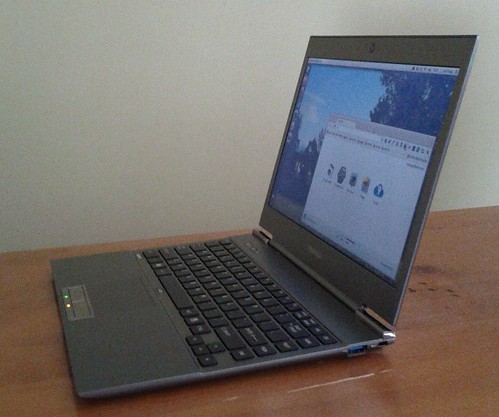
Turning the Toshiba Z830 into a Ubuntu Ultrabook
[ ](http://www.flickr.com/photos/leogaggl/6821823795/ “ultrabook by leogaggl, on Flickr”)
EDIT: Here are some tweaks if you install 12.04 (Precise Pangolin).
Since I will have to do a fair amount of traveling in the next year I was in need of upgrading my trusted workhorse of Toshiba Qosmio F60 to a more portable option that will be easier on the shoulders during long travels. After doing some research into which of the major manufacturers offer the best support for a Linux based Operating System it came down to a final two: the Intel i7 variants of Samsung Series 9 and the Toshiba Z830.
Using Google Goggles in mobile learning projects
One of the lesser known free Google services in our experience is Google Goggles. Specially in it’s lastest release (Version 1.7) it has received a few enhancements that make it very useful for some mobile learning applications
Scanning of barcodes
Google Googles will scan most standard barcodes and provide information on the product scanned.


Here is an example from the Google Mobile Blog:
Open Governance Index – measuring openness
This is an interesting report and info-graphic by the folks at VisionMobile on a new way of measuring the openness of some mobile open source projects.
The Open Governance Index measures the true openness of eight open source projects – Android, Qt, Symbian, MeeGo, Mozilla, WebKit, Linux and Eclipse – and analyses how governance, and not licenses, tell the full story of a project’s openness, across transparency, influence and control.
Installing MySQL Workbench on Ubuntu 11.10
Thanks to Olivier Berten for providing this package via his PPA Repo !
sudo add-apt-repository ppa:olivier-berten/misc
sudo apt-get update
sudo apt-get install mysql-workbench-gpl
EDIT: this has been confirmed to work on Ubuntu 12.04 (Precise Pangolin) as well).
Facebook - good riddance !
Finally I made the effort to completely get rid of my Facebook Account. After initially getting a Facebook Account in the very early days (as an ‘occupational hazard’ to investigate the potential of Facebook Applications) I have always been suspicious of the companies motives and decided not to use such a closed system as a base for application development.
Recent developments have only confirmed this suspision:
- http://en.wikipedia.org/wiki/Criticism_of_Facebook
- http://www.forbes.com/sites/chunkamui/2011/08/08/facebooks-privacy-issues-are-even-deeper-than-we-knew/
- http://www.reddit.com/r/technology/comments/ln2e0/facebook_patent_to_track_users_even_when_they_are/
Instead I will concentrate all of my content inside this blog (including as a backup for other social services I create). I believe the control over my own content is important enough for me to warrant the extra effort.