Huawei K3765 on Ubuntu 10.04 (Lucid)
Since I have switched my 3G data network from Hutchinson Three to Vodafone AU recently I also upgraded the USB modem from a Huwaei E220 (which used to work fine on recent Ubuntu NBR releases on my trusty old ASUS EEE 900)
Unfortunately the new Huawei K3765 would not be recognised as a valid modem by the network manager. After a fair bit of searching it turns out that you only need to install one additional package (usb-modeswitch) to make this modem work (be recognised) on the current stable 10.04 release:
sudo apt-get install usb-modeswitch
For the command-line challenged here is a quick screenshot on how to do it using Synaptic Package Manager:
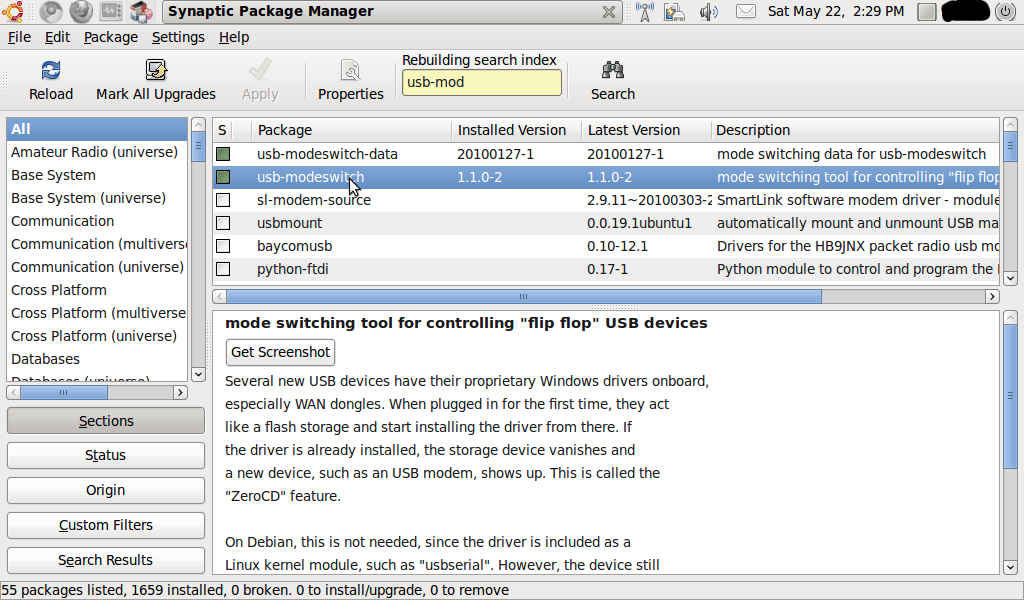
Hope this might save some time for people trying to make this modem work on Lucid.
Happy roaming !
Comments
Be the first to comment! Reply to this post from your Mastodon/Fediverse or Bluesky account, or mention this post's URL in your reply. Your comment will appear here automatically via webmention.
Follow this blog on Mastodon at @gaggl.com@web.brid.gy or on Bluesky at @gaggl.com